|
FREE SHIPPING.
Tax in CA, MA, NY, TN.
(new Image()).src = "http://www.dealigg.com/shop.php?id=252306&url=http://www.live.logitech.webcollage.net/event-logger/log/ipc-view?moduleid=logitech&channel-product-id=202126634&wcpc=966200-0403&partnerid=buycom&rand=" + Math.round(Math.random() * 1000000);FeaturesMore From Logitech Image GalleryQuick Tour360° Command
One trigger finger is all you need.One-Touch Control: Choose the activity you want to do, not the component you want to turn on.Up to 12 Components: Control Xbox 360®, home theater, audio—even lights and appliances.Customizable Buttons: Put your most frequent activities at your fingertips.Learning Port: Add favorite functions from an old remote just by pointing it at your Harmony.Comfort and Convenience
Never get numb-thumb again.Comfort-Grip Shape: Hold on comfortably and reach all the buttons with ease.Fully Backlit Controls and LCD Display: Navigate even in movie-theater darkness.Help Button: Confused? Let the Help Button figure it out for you. (No one else has one.)Simple Setup
It doesn’t get easier than this.Online Wizard: Plug into a USB port and walk right through initial setup or adding equipment.Incredible Compatibility: From laser disc to Blu-Ray® disc, find your components in our 175,000-device database.Free Support: Expect total customer satisfaction, whether you have a problem or just a question. How Harmony WorksOnce your Harmony remote is set up, it can control your entire home theater system with one button!
Simply install the software from the included CD, create a member login for your Harmony remote, then follow the step-by-stepinstructions. Our online set up wizard will guide you through the process of getting the Harmony to work with your system—justpick your components from the list of more than 5,000+ manufacturers and 175,000+ devices, and Harmony will do the rest. Yourpreferences will automatically be saved online, then transfered to your remote via the included USB cable.Online Set Up
Simply connect your Harmony remote to your computer, and the set up wizard will walk you through the step-by-step process.
Enter the model numbers for your components, answer a few easy questions about how you “Watch TV” or “Watch a DVD,” and Harmonydoes the rest.
You'll be controlling even the most complex system within 20 minutes, without the hassle of elaborate programming.One-touch Operation
With the Harmony remote, all you need to know is what entertainment you want to enjoy.
Just press one of the Activity buttons, such as “Watch TV” or “Listen to Music,” and your Harmony remote automatically setsup your entertainment system.
No sound? No picture? No problem! There's even a handy "HELP" button to guide you through simple troubleshooting and get youback in control.Full Function Control
With the Harmony remote, you can control both the standard and advanced functions of your devices.
Harmony controls your entire entertainment system by creating activities that control groups of devices together.
Harmony is the world's only remote with Smart State Technology®, a patented technology which allows Harmony to track the stateof each of your components.Online Update
The Harmony remote device database includes 5,000+ manufacturers and 175,000+ devices, everything from HDTVs to DVRs, VCRsto lighting controls. It's constantly updated with new components and fine-tuned settings, so your remote will never be out-of-date.Simply connect it to your computer using its USB interface, and your remote is updated— automatically!
Life is really much easier with a Harmony remote.System RequirementsPCWindows® 98, 2000, XP, Vista™USB port CD-ROM drive Internet access 10MB free hard drive space MacMac OS X 10.3 or later USB port CD-ROM drive Internet access 10MB free hard drive space Package ContentsLogitech® Harmony® Advanced Universal Remote for Xbox 360® USB cable Installation CD Installation guide 4 AAA batteries 1-year limited warranty
|






 Homepage Popular Deals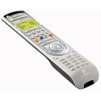
 Discuss