1. Go to
Shutterfly.com and click "Get Started"
2. Upload your photos from desktop, mobile, or social media sites
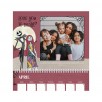
3. Your photos will be automatically added to the photo book
-- Click "Edit" in the top left corner of the screen
to edit individual pages
add captions, backgrounds or embellishments
change page layout
swap photos
-- Click "Add" in the top left corner of the screen
to add pages to the book (up to 110 total) by clicking on the green circles between pages
-- Click "Remove" in the top left corner of the screen
to remove pages
4. Once done, add book to cart
5. Click "No Thanks" to decline adding upgrades
6. Proceed to cart
7. Apply promo code
UNLIMITED
8. Your total will be $9.99, shipping is free








 Homepage Popular Deals
 Discuss