|
$20 rebate
[Exp. 04/30]
FREE SHIPPING
Tax in CA.
ASUS RT-N13U
The new ASUS wireless router distinguishes itself with the "auto switching" function. It not only enables multiple users to use multifuntion printer wirelessly without a PC or server turned on 24 hours a day, but also rules out the trouble of repeating "disconnecting" and "re-connecting" when users switch. When different users are to use the printer, the router switches automatically, which enables different users to use the printer simultaneously. After plugging in the USB printer into ASUS wireless router and running the ASUS Network Printer Setup program, each user can enjoy easy scanning and easy printing.
The ASUS' newly designed EZ Switch provides three operation mode, user can change it more easily, only ONE-TOUCH.
AiDisk combines simple FTP settings with the ASUS DDNS service to share files with friends easily no matter when and where the user is. By simply utilizing the RT-N13U with a USB hard disk, users will be able to create a mini FTP server at home and only requires them to setup an account and password and select the file they want to share. With the bundled AiDisk quick installation guide included in the box, users can rest easy and not worry about complicated settings. Users will be able to easily create their own FTP servers with easily recognized and meaningful hostname like: ftp://yourname.asuscomm.com , instead of a hard to remember IP addresses or URLs.
24/7 Non-Stop BT Download:
HTTP, FTP, BT (BitTorrent) download protocols can be download automatically from the internet. You can keep downloading even when PC is off.
New BT Engine
New BT Download Engine, Enhanced Download Speed.
* The actual download performance varies to the health of the torrents and the network environment.
** Available for 6 torrents downloading at the same time.
After buying router and preparing for setup, just connect to the router and QIS will automatically guide users to their browser's default home pages. Manual Free!
Straight-forward design to help users to
Display the whole network status and clearly provide WAN/LAN status Securely connect to your wireless network and prevent intruders from using it Manage your network in minutes
Dr. Surf, your personal wireless doctor, can automatically offer real-time diagnostics. Auto-detect Connection Problems
If there is any problem for internet connection, Dr. Surf can auto-detect and provide possible solutions. Ex. Your cable is not connect with the router.
With ASUS unique EZQoS engine, users can easily allocate bandwidth according to their individual needs by simply clicking on the buttons, such as voice or gaming, and assign more or less bandwidth to streamline multiple network activities (FTP, Games, P2P) to work smoothly at the same time
Technical specificationsStandards: IEEE802.11n, IEEE802.11g, IEEE802.11b, IEEE802.11d, IEEE802.3, IEEE802.3u, IEEE802.1X, WPA, WMM, IPv4WAN Ports: 1 x RJ45 for 10/100 BaseT
Support Ethernet and 802.3 with max. bit rate 10/100 Mbps and auto cross-over function(MDI-X)LAN Ports: 4 x RJ45 for 10/100 BaseT
Support Ethernet and 802.3 with max. bit rate 10/100 Mbps and auto cross-over function(MDI-X)USB port: 1 x USB 2.0Firewall: NAT and SPI (Stateful Packet Inspection) Firewall:
- enable/disable WAN ping
- allow access from WAN
- log of accepted and dropped
Filtering:
- Single Port and Port Range
- URL based
- MAC Address
Data Rate:
802.11n Draft 2.0: up to 300Mbps
802.11g: 6, 9, 12, 18, 24, 36, 48, 54Mbps
802.11b: 1, 2, 5.5, 11MbpsReceive Sensitivity(10MHz BW):
-74~ -75dBm @54Mbps
-89~ -92dBm @11Mbps
-91~ -95dBm @ 1MbpsEncryption:
64/128-bit WEP
WPA-PSK, WPA2-PSK,
WPA-Enterprise, WPA2-Enterprise, Radius with 802.1x
|






 Homepage Popular Deals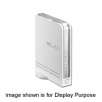
 Discuss