To get the deal:
1. Create or log in to your
PayPal account
2. Go to Account Settings and select "Banks and Cards"
3. Follow prompts to add a new card to your PayPal Wallet
4. Add your Platinum Card
5. For the most seamless checkout experience, set your Platinum Card as your preferred method of payment
6. When you're ready to check out on the merchant's website, select the PayPal button on the checkout page
7. Log in to your PayPal account using your PayPal username and password
8. Select your eligible Platinum Card at checkout





 Homepage Popular Deals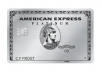
 Discuss