|
FREE SHIPPING.
Qualifying Devices
Amazon Fire TV Stick $14.99
Amazon Fire TV Stick 4K $24.99
Amazon Fire 7 Tablet $29.99
Amazon Echo Dot (3rd Gen): $22
How to use Alexa to talk to Best Buy
Step 1: Enable
Alexa uses "skills" to find the info you're looking for. Search for the Best Buy skill in the Alexa app and click "Enable." Or just say, "Alexa, enable Best Buy
Step 2: Link
After enabling, a Skill Permissions prompt will pop up. Click "Save permissions." To complete the linking process, sign in to your Best Buy account.
Step 3: Talk
Say, "Alexa, launch Best Buy." Then, tell Alexa what you'd like it to do at Best Buy using commands such as the ones below
To hear and purchase our exclusive voice deals, say
"Alexa, ask Best Buy about Voice-Only Deals."*
To learn about products at Best Buy, say
"Alexa, ask Best Buy to research products."
To learn about Total Tech Support at Best Buy, say
"Alexa, tell me about Best Buy Total Tech Support."
To track an order, say
Alexa, ask Best Buy for my order status."
|





 Homepage Popular Deals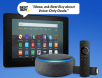
 Discuss