|
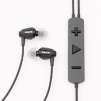
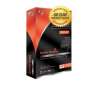
Dragon NaturallySpeaking® Preferred gives small business and advanced PC users the power to create documents, reports, e-mails and more-all by speaking! Fast, easy and amazingly accurate, it's over three times faster than typing. No script reading required to get started! Just use your voice to dictate and edit in Microsoft® Word and Excel®, Corel® WordPerfect®, and virtually all Windows®-based applications. You can even dictate into a handheld device when you're away from your PC, or use a Bluetooth microphone! . Browse, search, and navigate the Web just by talking! Listen to incoming e-mail and documents read aloud. Use dictation shortcuts that enable you to insert blocks of texts or bitmaps-such as your name, title, and signature-with a single voice command. A Nuance-approved noise canceling microphone is included. AMAZINGLY ACCURATE!More accurate than ever before, Dragon NaturallySpeaking® 9 is often more accurate than typing. Dragon NaturallySpeaking never makes a spelling mistake, and it actually gets smarter the more you use it!FASTER THAN TYPING!Most people speak over 120 words per minute, but type less than 40 words a minute. That means you can create letters, reports and e-mails about three times faster with Dragon NaturallySpeaking!SO EASY TO USE!You'll be dictating letters, e-mails and surfing the web by voice right away! No script reading required to get started. We even include a full set of on-screen tutorials, and a Nuance approved free noise-canceling microphone.USE WITH ANY WINDOWS PROGRAM!
Use your voice to dictate, edit and control applications like Microsoft® Word, Microsoft® Excel, Microsoft Internet Explorer, and Corel® WordPerfect®.A BEST SELLER AROUND THE WORLDDragon products have won over 160 major awards worldwide for accuracy and ease of use, and are used by more people world wide than any other speech recognition software.BLUETOOTH SUPPORTUse Dragon NaturallySpeaking with Nuance approved Bluetooth headsets.MOBILEDictate into any Nuance-certified handheld device for automatic transcription when you synch with your PC.
|








 Homepage Popular Deals
 Discuss