|
$25 rebate
[Exp. 04/28]
Shipping is $5.00
Master digital video recorders with a single remote.
Designed specifically for Digital Video Recorder (DVR) users, the Harmony® 670 features convenient controls that make it easy to command TiVO®. and other popular DVRs. Essential buttons including "Record," "Play," "Pause," "Advance," "Rewind," "Skip Forward," "Skip Back," and a directional pad are centrally located, and convenient "Sound" and "Picture" buttons help you tame tough configurations such as switching aspect ratios or sound modes. Harmony's activity-based control makes it easy to manage your entire home entertainment system; just press a conveniently color-coded activity button ("Watch Movie"), and the remote will power on your TV, DVD, stereo receiver, set all the inputs and even press "Play"! There's also a handy "Help" button so that anyone from the kids to the babysitter can access programming.
Using Your Harmony Remote
1. Easy to set up:
Just connect your Harmony remote to your computer and the Web wizard walks you step-by-step through a simple set up. Enter the model numbers of your components, then answer a few easy questions about how you "Watch TV" or "Watch a DVD." Harmony lets you control even the most complex system without the hassle of programming complicated macros.
2. Easy to use:
The Harmony Remote is the world's only remote with Smart State Technology®. Simply press an Activity button, such as "Watch TV" or "Listen to Music," and your Harmony Remote automatically sets up each of the devices required for that activity.
3. Easy to get help:
With the Harmony remote, you don't have to know anything about your entertainment system to operate it. No sound? No picture? No problem! There's even a handy "HELP" button to guide you through simple troubleshooting and get you back in control.
4. Never out of date:
The Harmony device database includes 5,000+ manufacturers and 175,000+ devices, everything from HDTVs to DVRs, VCRs to lighting controls. It's constantly updated with new components and fine-tuned settings, so your remote will never be out-of-date.
Color-coded activity controls
A single press configures your television, stereo, DVD player, or other device required for the selected activity.
Designed for DVRs
The most commonly-accessed controls are located centrally, for easy access at thumb's reach.
Backlit keys
Easy to see; easy to use. No more fumbling for the correct button to play, pause, mute or change aspect ratios
|





 Homepage Popular Deals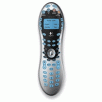
 Discuss