|
Tax in FL, IL, NC.
Protect
Windows Home Server automatically backs up your home computers. Computers and individual files can be easily restored. Additionally, computer health monitoring allows you to see the health of computers running Windows Vista® in your home. You will know if your anti-virus programs and other system software are up-to-date. Connect
Every member of the family can access what they need on the home server from another computer in the house. You can also share information with faraway friends and family through a personalized Web address, or access your own files from a computer with a Web browser when you’re away from home. Organize
Your family photos, videos and music, and other important documents are together in one central place. Folders can be created by subject or topic, so your family can stay organized and up-to-date. Grow
You can simply connect a new hard drive to Windows Home Server as your storage needs increase. Also, application developers can create innovative Windows Home Server Add-Ins to expand the functionality of your home server. For example, Add-ins can be created for home automation, home webcams, media sharing, and home security solutions, Windows Home Server will be part of the family today—and in the future. Home Computer Backup and Restore
Windows Home Server will automatically back up your home computers to the home server and allow you to easily restore the entire computer or an individual file or folder to a previous point in time. The Windows Home Server Backup solution uses an innovative method to back up only the data that has not already been backed up before. Even if you have several copies of the same data on different computers, the data is backed up only once on your home server and your home server keeps track of what data was stored on each home computer on each day. This makes it very efficient in terms of the time it takes for backups to complete and also the amount of space that is used on your home server. Automated Daily Backup of your Home Computers
Computer backups are automatically configured when you install the Windows Home Server Connector software on your computers. Backup is performed on a daily basis for every configured computer. Restore an Entire Home Computer
Restoring a home computer to a previous point in time is easy. If you want to restore your computer to a previous point in time, you boot the home computer from the Home Computer Restore CD. The computer will connect to your home server and provide a simple wizard for restoring a single hard drive or multiple hard drives from a backup of that computer that is stored on your home server. Restore Individual Files and Folders
You can also restore individual files or folders by selecting a home computer and a specific backup of that computer from the Windows Home Server Console application. A Windows Explorer window is displayed with the files and folders that were backed up for that computer on that day. You can easily drag and drop individual files or entire folders from this Windows Explorer window and store them on your Windows Desktop or another location on your home computer
|






 Homepage Popular Deals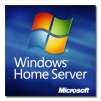
 Discuss