Create a new Shutterfly account
Click here and Select "Browse Styles" under Photo Books in Banner on Top of Page
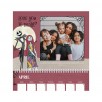
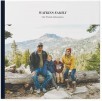
Select your desired style of Photo Book
Select 8x8 Book Size
Select Hardcover
Select Standard Pages
Select "Choose this Style"
Add Photos via Computer, Google Photos or Shutterfly
The number Photos you selected will automatically add to pages on next page
In order to Add Pages (you may select up to 91 for this offer), click "Add Pages" on top of page then Click Green Arrow which add 2 Additional Pages. Keep doing this until you add the amount of pages you would like (up to 91 pages)
In order to add Photos to the Additional Pages you added, Click "Add Photos" then drag and drop the Photos you have added to the Blank Pages that were added.
Click add to cart
Click "Skip" to decline adding upgrades
During checkout, Apply the following Promo Codes
FREEBOOKNEW
FREEPAGES
Your total will be $7.99 Shipped



 Homepage Popular Deals
 Discuss