1.Click
this link here
2.Download the Nike App by scanning the QR code or manually [
iOS or
Android]
3.Login or sign up for a Nike Members account for
Free
4.Under the tab section, make sure you have the 'Shop' menu selected (or 2nd tab option)
5.Click on the '
Member Exclusive Sale - Save up to 40%' banner sale
6.On the top right, locate the filter option and select the 'Price: Low - High' option under the
Sort By feature and apply the settings
7.Select the 'Shoes' tab on the top menu
8.Scroll down the menu until you locate the "
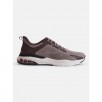
Nike Air Zoom Pegasus 37" offer and select it
9.Use the droop down menu to make your size selection
10.Total at checkout should be
$60.97 w/ free shipping





 Homepage Popular Deals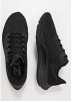
 Discuss