|
$10 rebate
[Exp. 12/02]
Shipping is $5.00
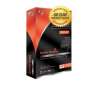
Dazzle DVD Recorder is a plug-and-play USB 2.0 device that allows for easy capture of home videos and TV recordings directly to DVD via VCRs, camcorders or other video equipment. Easy-to-use software is included for quick transfer of video content straight from tape to DVD, with optional menu and chapter functions for simple navigation. A step-by-step wizard guides you through the process, and an advanced mode is available for menu customization. You can burn your video directly to a DVD without first copying files to the PC hard drive, saving both valuable time and space.
Combined with the unique wizard-based, friendly interface of the Dazzle InstantDVD Recorder software, the powerful Dazzle video capture device allows you to quickly and affordably back up personal video collections.
Quick to Connect – just plug it in
Simply attach your Dazzle DVD Recorder to your camcorder and your PC’s Hi-Speed USB 2.0 port, then capture from virtually any video source – S-Video and Composite Video inputs provide full-resolution DVD recording.
Simple enough for anyone to use
Dazzle DVD Recorder is designed for ease of use so you can transfer your memories to DVD in minutes without having to spend time learning new technology.
Fast and easy to archive
Record your videos directly to DVDs with menus and chapters in only a few clicks of the mouse. Burn multiple videos on one DVD, for space-saving, convenient access.
Fun to share with everyone
Enjoy your movies on DVDs with your friends and family in front of the TV, send them as attachments in your e-mails, or upload them to the Web.
Send your videos over the Internet
Create short video clips that you can attach in your e-mails.
Dazzle DVD Recorder includes Pinnacle InstantDVD Recorder
Record videos directly from video source to DVDs including menus and chapters, with just a few clicks of the mouse. Pinnacle InstantDVD Recorder makes it incredibly fast and easy to transfer video footage from your camcorder to DVDs.
Simple sharing and safe archiving
Burn all your movies on long-lasting DVDs that can be played on any home DVD player.
Easy navigating
Choose from a variety of templates to create professional-looking menus for your DVDs. Automatic scene detection creates chapter marks that make it easy to move around within your movies.
Fast processing
Creating a DVD couldn't be faster. Connect your camcorder or VCR to your PC and click one button. Video goes straight from tape to disc, without storing anything on your computer’s hard drive.
No experience required
A software Wizard guides you through all the steps, from capture to menu creation to burning -- anyone can do it in minutes. Software Specifications Capture from any video source with composite (RCA) or S-Video output Capture Formats: MPEG-2 Import Formats: (Studio QuickStart) Video: DV, AVI, MPEG-1, MPEG-2, DivX®, MPEG-4 (AVI), Windows Media® Format, Non-encrypted DVD Titles Audio: WAV, MP3 Graphics: BMP, JPG, PCT, TGA, TIF, Windows Media Format Export Formats: (Studio QuickStart) Video CD (VCD) or S-VCD with optional CD burner (CD-R or CD-RW) DVD with optional DVD burner (DVD-R, DVD-RW, DVD+R or DVD+RW) DV, AVI, DivX, RealVideo® 8, Windows Media 9, MPEG-1, MPEG-2, MPEG-4 files Dolby® Digital 2 channel and 5.1 channel audio
|






 Homepage Popular Deals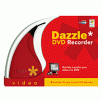
 Discuss