|
$100 rebate
[Exp. 12/31]
See price in cartFREE SHIPPING.
Comprehensive Smartphone Connectivity
With support for iPhone and select Android devices, as well as MirrorLink support, AppRadio 4 makes it easy to access smartphone-based music, apps and more, directly from the Pioneer touchscreen interface. A total of four connectivity cable options, sold separately, enable connections to more than 30 different smartphone devices available in the U.S. In addition, the unit now offers the Android Media Transfer Protocol (MTP) for deeper access to files and folders on Android devices
Apple CarPlay™
The AppRadio 4 features Apple CarPlay. CarPlay is the smarter, safer and more fun way to use your iPhone in the car. CarPlay gives iPhone users an incredibly intuitive way to make calls, use Maps, listen to music and access messages with just a word or a touch
Sleek New Display and Interface
Previously only available on the Pioneer NEX line of receivers, the new AppRadio 4 features the responsive, powerful and intuitive NEX user interface that is easy to use and highly customizable. Complement your dash with a 6.2” capacitive touchscreen display for crisp high quality images, rapid touch response with pinch and zoom controls, impressive backgrounds and capacitive inlayed hard keys for quick operation
Audio Fidelity
Today’s entertainment comes from many places, and these days it’s more than likely your smartphone. People carry thousands of songs with them everywhere they go, and with current broadband connections they stream their music from different places too! AppRadio knows entertainment, so we have built in the ability not only to play the songs stored on your smartphone, but also to stream them via Bluetooth from your favorite music app. AppRadio 4 is loaded with new audio settings to enhance your music listening experience including a 13-band EQ with slope adjustments, Pioneer’s Sound Retriever AIR, high voltage pre-outs and FLAC file support. Your love of high-res audio does not need to stop at the front door. Now for the first time in an aftermarket car stereo, you can enjoy FLAC files in your vehicle without the need to convert. Pioneer’s AppRadio 4 offers playback of files encoded as high-res FLAC up to 192kHz/24 bit and provide playback output at CD quality. With Pioneer, your high-res FLAC is no longer confined to your home hi-fi system – put your music on the move. AppRadio 4 plays all of the popular audio codecs including FLAC, WAV, AAC, WMA, & MP3, as well as full HD video files in MP4, H.264, MKV, and FLV file formats
Bluetooth Streaming
To utilize all the connectivity options available with today’s most popular smartphones, AppRadio 4 offers the latest in Bluetooth technology including Wideband Speech Handsfree Profile 1.6 which provides better call quality reception by nearly doubling the bandwidth of the frequency which helps bring call quality to similar to FM reception. Each model includes Bluetooth Audio Streaming, Advanced Audio Distribution Profile (A2DP), for wireless audio streaming and Audio Video Remote Control Profile (AVRCP) version 1.4 for wireless control of devices and related metadata (if available) with the ability to browse music libraries on smartphones wirelessly
Siri Eyes Free
Users of iPhone 4s or newer devices can take advantage of Siri Eyes Free functionality with a touch of the AppRadio 4 touchscreen. When activated, Siri provides voice prompts through the vehicle’s speakers, and the user’s questions and commands are received and transmitted using the external microphone provided with the AppRadio 4 unit
AppRadioLIVE
AppRadioLIVE simplifies your drive by combining the information you need during your commute into a single, simple to use interface. It’s YOUR digital lifestyle connected. It was specifically designed based on feedback from our current AppRadio customers and offers quick and easy access to personalized information needed in the in-vehicle environment including: Maps, Media, News and Calendar. AppRadioLIVE pulls content from many different sources and services which you likely already have an account with. All you have to do is download the FREE AppRadioLIVE app and sync your services. All you information saved on those accounts will be pulled into the AppRadioLIVE interface
|




 Homepage Popular Deals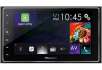
 Discuss