|
|
|
|
|
Follow Deal Instructions on Our Detail Page
FREE SHIPPING
Note: The $100 app-exclusive discount may be limited to select accounts.
Deal Instructions:
1. Download and install the Shop Samsung App
2. Visit All Monitors on a desktop web browser. On the lower right hand section of the page, there should be a popup for "Get up to 10% Off". Disable ad blockers/use incognito if you are unable to see the offer.
3. Enter your phone number and you'll receive a unique code to add to checkout.
4. You can complete the following steps on desktop or in app, then complete transaction in app for the $100 discount.
(1)Visit the Samsung Discount Program and check eligibility. If eligible, sign in or create an account.
(2)Visit 32" Odyssey OLED G81SF Gaming Monitor (LS32FG810SNXZA)
-- Scroll down and verify "Get a 24" Essential Monitor S3 S36GD on us" is checked under "Enhance your Experience" (LS24D368GANXZA)
(3)Add to cart
5. Check out in the app
6. Apply your unique 10% off text promo code in cart
7. Your in-app total should $512.03 after EDU/EPP savings + 10% text discount + $100 app-exclusive savings. Shipping is free.
|
|





 Homepage Popular Deals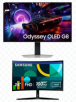
 Discuss