Deal Instructions:
1. Log in to your Amazon Account
2. Go to the
offer page
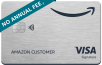
3. Click on 'Add Your Card' and add your Discover Card information and check the box to set as your default payment method
4. Select eligible products that total $15 or more, shipped from and sold by Amazon.com.
--- If your account qualifies for the $30 off $100+ offer, add a total of $100 or more in eligible items shipped and sold by Amazon to cart and proceed to checkout. $30 discount will be applied automatically to your purchase.
5. Complete checkout with your newly added Discover Card within 30 days of adding your Discover Card as your payment method.


 Homepage Popular Deals
 Discuss