Deal Instructions
1. Download the Chick-Fil-A Mobile App (
iOS or
Android)
2. Create or login to your account
3. Locate the 'Rewards' section on the tab menu in the app and select it
4. Under the 'My Rewards' section, locate the 'Exact Location Services Enabled' and turn it on
Note, you must be located within the Southern California area to see this offer
5. You will then receive a 'Reward From Chick-Fil-A SoCal" offer
6. Redeem your
Chick-Fil-A Chicken Sandwich offer for Free
7. Visit any participating Chick-Fil-A locations in Southern California to redeem your offer (Restaurant Locator)







 Homepage Popular Deals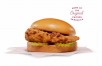
 Discuss