|
(Valid In-Store Only)
1Make sure your phone number is added to your myWalgreens account in order to use it in-store.
2.Go to a physical Walgreens store.
3.Pick up the following gift cards from the gift card rack:
--- 2x DoorDash and/or Taco Bell Gift Cards (variable load)
--- 1x Walgreens Gift Card (variable load)
4.Go to the cashier and proceed to checkout.
5.Ask the cashier to load $15 on to each of the DoorDash/Taco Bell Gift Cards.
6.Ask the cashier to load $10 on to the Walgreens Gift Card.
7.Enter your phone number on the pinpad to activate your myWalgreens discounts.
8.When prompted for payment, the $10 discount should automatically apply, bringing your order total to $30.
|





 Homepage Popular Deals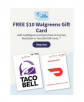
 Discuss