|
FREE SHIPPING
Tax in ID, WA, WV.
Sony KDL-52Z5100 LCD TV Enjoy the latest in HDTV performance with the Sony® BRAVIA® Z-Series, featuring Motionflow 240Hz technology for maximum motion detail and clarity, plus broadband internet connectivity with built-in BRAVIA Internet Video4 capabilities, that let you view select on-demand movies and TV shows and listen to music and more, and even lets you personalize your entertainment experience by selecting and positioning widgets containing the latest news, weather, sports and more directly on your TV screen. 16:9 Full HD 1080p Resolution Panel (1920x1080) BRAVIA Engine 3 fully digital video processor Motionflow 240Hz BRAVIA® Internet Video/Widgets USB photo/music/video player XMB w/ enhanced 3D Favorites Menu Ethernet x1 w/ DLNA® photo/music/video player BRAVIA® Sync capableBRAVIA® Link ready (DVD, Input, Wireless) TV Guide® Interactive Program Guide Manufacturer's Description 16:9 Full HD 1080p Resolution Panel (1920x1080)16:9 Full HD 1080p resolution panel (1920x1080) accepts any high definition video signal and renders it with optimum resolution, so you can take full advantage of Blu-ray Disc players and Sony® PLAYSTATION®3 entertainment systems that can deliver 1080p content.Motionflow 240Hz technologyMotionflow 240Hz technology is SonyaÂÂs highest level of motion detail and clarity so you enjoy unprecedented motion detail in sports, movies and games. Motionflow 240Hz technology quadruples the frame rate, resulting in a crisp fluid motion and a natural, realistic viewing experience.BRAVIA Internet Video4With BRAVIA Internet Video4 you can enjoy one of the largest collections of premium and free on-demand entertainment directly to your HDTV. Use your in-home broadband connection and the BRAVIA HDTV remote control to access online video, music, and more content from over 20 providers including Amazon Video On Demand, YouTube, Sports Illustrated, Sony Pictures, Sony Music,Slacker, and Epicurious.com.BRAVIA® widgets Personalize your viewing experience by selecting, positioning, and resizing widgets on your BRAVIA HDTV display. BRAVIA widgets are small icons that can be accessed with the touch of one button providing you with the latest in news, weather, sports, and much more right on your BRAVIA Z-Series HDTV.BRAVIA Engine 3 fully digital video processor BRAVIA Engine 3 is the newest fully digital video processor from Sony®. It uses a collection of enhanced algorithms to significantly reduce noise, enhance overall image detail, and optimize contrast so every scene produces sharp, vibrant, life-like images.USB with photos, music, and videoConnect your camera, USB-enabled MP3 player, or USB storage device directly to the HDTV's USB input to view photos on the big screen or listen to your favorite MP3s. BRAVIA® Z-Series HDTVs also include mpeg2 video file support, so you can go straight from shooting video to screening it via USB. DLNA® with photos, music, and videoCompliance with DLNA® (Digital Living Network Alliance) allows BRAVIA® Z-Series HDTVs to access digital photos, music, and video from DLNA-enabled PCs and other devices, so you can enjoy your memories with family and friends in the comfort of your living room instead of crowding around a PC.Networked TV Guide® Interactive Program Guide5Sony® has integrated the TV Guide Interactive Program Guide into the exclusive Xross Media Bar (XMB) user interface to deliver regularly updated program listings via your existing Internet connection -- with no subscription fees or phone connection required.HD input x 7 Get versatile HD connection options with seven HD inputs. Four HDMI inputs (up to 1080/60p capable) let you connect a Sony® PlayStation®3 entertainment system, Blu-ray Disc player, or any other HDMI-capable equipment (all sold separately) and get uncompressed digital video and multi-channel digital audio on a single cable. An HD combo input, which includes HD component and composite inputs, (1080/60p capable) provide added HD-capable connectivity, and a PC input3 (HD-15 pin) offers the added versatility of using your HDTV as a computer monitor.Xross Media Bar menu navigationThe award-winning Sony® Xross Media Bar user interface allows you easily navigate through your favorite photos, music, channels, and connected devices.Favorites Menu function The Favorites Menu function makes it easy to quickly access your favorite channels and frequently used video inputs.Scene SelectScene Select makes choosing the appropriate settings for the best HDTV experience easier than ever. Scene Select packages different picture and audio settings based on the type of content you want to view. For example, the "Sports" package configures the perfect picture and audio settings to make you feel like your right in the stadium. Other packages include "Cinema", "Photo", "Game", and "Music".BRAVIA® Link compatibilityBRAVIA Link compatibility expands your HDTVaÂÂs capabilities by letting you connect optional BRAVIA Link modules, including the BRAVIA DVD Link, BRAVIA Wireless Link, and BRAVIA Input Link (all sold separately).BRAVIA Sync 2 capableBRAVIA Sync2 capability combines the one-touch access and control functionality of BRAVIA Theatre Sync with the ability to control HDMI CEC-enabled Sony® Handycam® camcorders and Cybershot® digital still cameras using the HDTV's remote and an on-screen display.ATSC/NTSC tuner with QAMA built-in ATSC/NTSC tuner with QAM delivers over-the-air digital TV and unencrypted HDTV broadcast signals, as well as traditional analog TV broadcsts.Exceeds Energy Star 3.0 requirementsSony® HDTVs exceed Energy Star 3.0 requirement. In addition, they incorporate advanced power saving features such as Light Sensor® technology that adjusts backlight intensity based on ambient room lighting conditions and Dynamic Backlight Control that adjusts backlight intensity based on the brightness of the image on the screen.Footnotes: 2 Works with other BRAVIA® Sync or Theatre SyncTM labeled home audio/video products when connected via HDMI. 3 Limited to resolutions supported by both the PC and the Sony® HDTV. For supported resolutions, see Sony TV user's manual and PC documentation. 4 Video quality and picture size will vary depending on your broadband connection speed (we recommend at least 2.5Mbps and 10Mbps for HD content) and the content itself. Select content provided and subject to change.a 5. See product specifications for power consumption details. 6. Distance will vary depending upon environmental conditions
|





 Homepage Popular Deals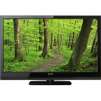
 Discuss