How to get it:
1. Sign in to your Microsoft Outlook Account (or
sign up for a new account)
2. Download the
Starbucks for Outlook Plug-in from the
Microsoft Office Store
3. Compose an email and click on the Starbucks icon (lower righthand corner) to launch the add-in
4. Select an eGift design
5. Sign in to your Starbucks account and complete the purchase of a Starbucks eGift Card for yourself, a friend or family member within the window pane on the right
6. Send the email with the Starbucks $5 eGift card
7. You will then receive a $5 Starbucks eGift Card within 72 hours.





 Homepage Popular Deals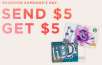
 1 Comment



it doesn't work. keep saying transaction declined with different credit cards.
6/25/17 they probably fixed it; it works now.