|
FREE SHIPPING
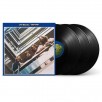
•35 tracks including 4 acoustic bonus songs
•4 marbled translucent vinyl discs
•Vinyl album includes never-before-seen 12” x 12” poster
You can make a Best Offer on listings that have a Make Offer button.
Once you’ve found an item you want to buy that accepts Best Offers, here’s how to make your offer:
1. Choose Make Offer.
2. Enter your offer. If you like, you can add a message to the seller.
3. Select Continue.
4. On the next page, you may be asked to confirm your payment and shipping information. Select Edit if you need to change anything.
5. Select Send.
If you’ve added the item to your Watchlist, you can also select Make Best Offer next to the item in your Watchlist.
If you’re making a Best Offer on an item that offers personalization, you can add your personalization comments in the Message field once you select Make Offer.
|

 Homepage Popular Deals
 Discuss