Deal Instructions:
1. Login to your Xfinity Account
here
2. Locate Get "National Lampoon's Christmas Vacation" on us on the "Rewards" page
3. Select the offer and click on "Get this reward"
4. If you are an Xfinity X1 or Flex customer, open "Purchases" or say "Purchases" into your voice remote. Or, visit your "Purchases" folder on the Xfinity Stream app
It may take up to two hours for your movie to be available to watch.
5. Select "National Lampoon's Christmas Vacation"
6. You'll see the movie on your next bill under "One-time charges" for $0




 Homepage Popular Deals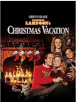
 Discuss