|
To get the deal:
1. Visit the promotion page.
2. Click "Exit" out of Pop up Tax Identity Shield Window
3. Look for for a pop up window with the message "Wait! Save an additional $5 if you purchase now."
* If you don't see the pop up window, try opening a new tab in your browser (or switching to another already open tab), wait a couple seconds and then return to the deal site tab with the original offer. Also try deleting cookies, disabling ad blockers, incognito mode or a different browser.
4. In the pop up window, click "Save $5 Now" to activate your $5 discount.
5. Click here and Select the Version you would like (prices below after $5 discount)
* Basic $4.95
* Deluxe $9.95
* Deluxe + State $25.95
6. For Premium and Business Versions, follow instructions below
7. Do NOT select the version you want; for this deal you must select the next cheapest version; this will generate a $5 off offer at checkout to upgrade to the next higher version.
8. Select your product on the promotion page (prices after all discounts):
* If you want Premium
Select "Purchase Now" for Deluxe + State,
Your total will be $39.95 (after 2x $5 Discounts) when during final checkout page, you click Place Order after entering your payment info
* If you want Premium & Business
Select "Purchase Now" for Premium
Your total will be $54.95 (after 2x $5 Discounts) when during final checkout page, you click Place Order after entering your payment info
9. Complete your order.
|







 Homepage Popular Deals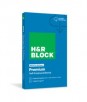
 Discuss